Live microphone
Open or close it with one click, or talk while holding the space bar. Level meter and voice test.

Vesta DIRECT · live radio software
A real live studio with nothing to install: microphone, two decks, a jingle wall and a running order. Open the studio and go on air on your Vestaradio web radio; when you finish, the automated schedule takes over again.
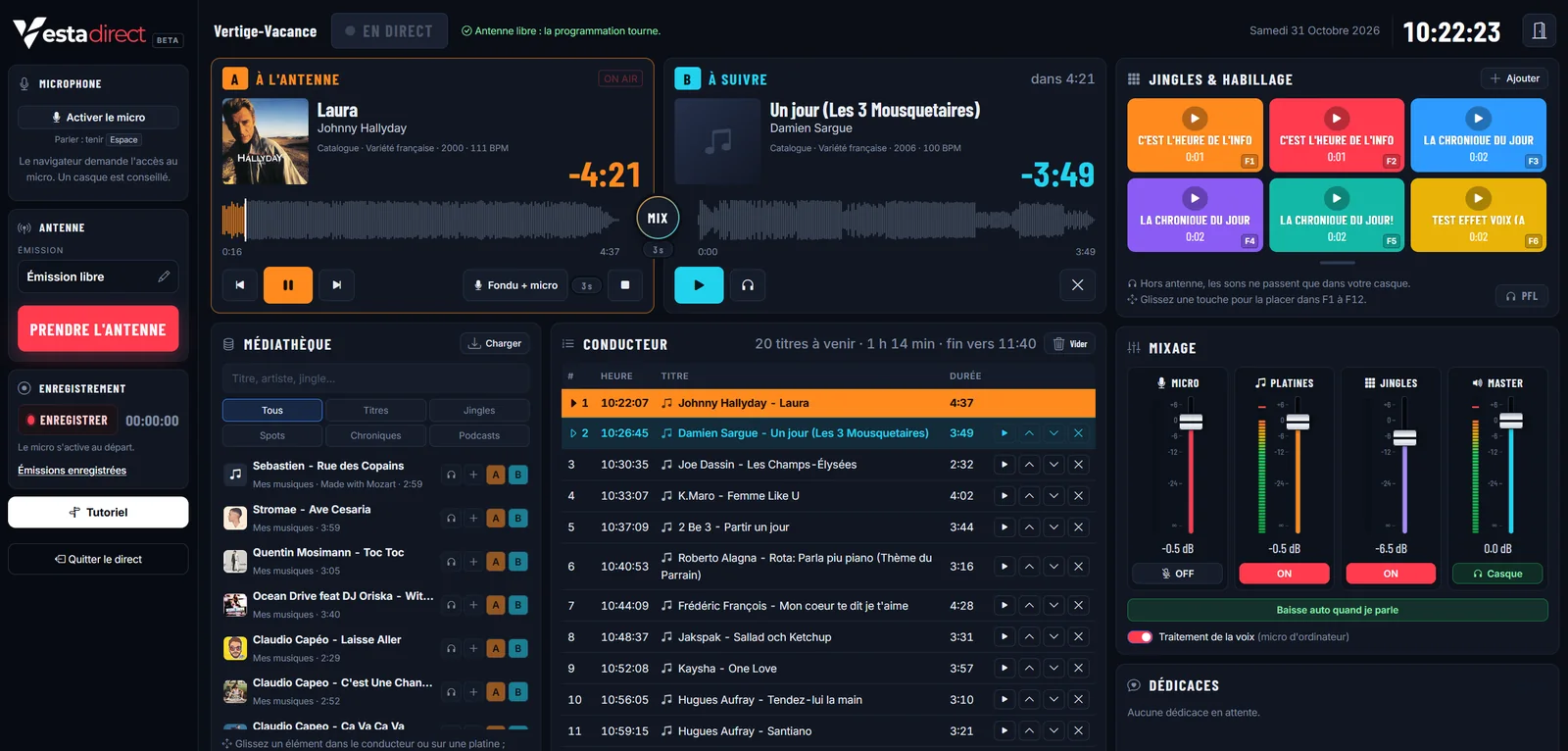
Vesta DIRECT · the studio
Microphone, two decks, jingle wall and running order are mixed in the browser, then sent on air on your Vestaradio web radio. When you hand back the air, the automated schedule takes over again.
Open or close it with one click, or talk while holding the space bar. Level meter and voice test.
On air and up next, automatic sequencing and crossfades matched to the rhythm of the tracks.
Your account’s jingles, ads, features and podcasts at your fingertips, F1 to F12 keys and headphone preview.
Build the running order from the media library and your playlists, and reorder it by drag and drop.
Every live show is recorded and filed in your shows, ready to be rebroadcast.
Messages from your listeners arrive in the studio during the show.
Opening jingle, closing jingle and music bed saved for each show.
End of the show, lost connection or end of a time slot: the schedule takes the air back.
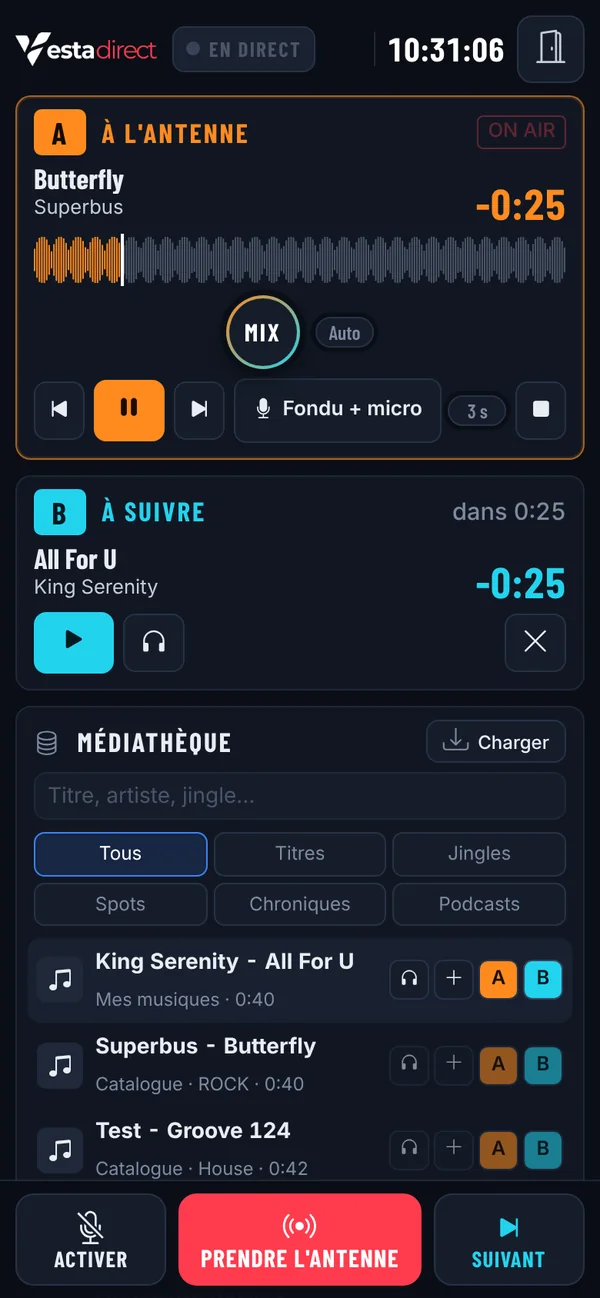
A bar always under your thumb: switch on the microphone, go on or off air, skip to the next track. The decks stay readable at a glance.
Each presenter gets a personal link: they open the studio in their browser, with no account or password. Their airtime is unlimited or limited to their time slots; when their slot ends, the air goes back to the schedule.
Headphone preview, voice processing, automatic music ducking when you speak, microphone timer. The show keeps running even if you switch tabs.
From your Vestaradio area, open the live studio. The microphone switches on only when you decide.
Choose the show, load the running order and place your jingles. Preview them in your headphones before playing them on air.
The opening jingle plays, the music fades in and you open the microphone. Hand back the air whenever you like.
Your questions answered
No. The Vesta DIRECT studio opens in a recent browser (Chrome, Edge, Firefox or Safari), on a computer, tablet or phone. The browser only asks for microphone access the day you switch it on.
The closing jingle plays if you chose one, then your web radio’s automated schedule takes over again, at the start of a track. It also takes over on its own if the connection drops for more than 20 seconds. The show is recorded in your shows.
No. You can start with music or a jingle and open the microphone whenever you want, with one click or by holding the space bar.
No. You create a personal link for each presenter and choose whether their airtime is unlimited or limited to their time slots.
No. Vesta DIRECT sends the sound to your Vestaradio web radio: everything is already in place. No web radio yet? Discover the Vestaradio plans.
Other options
To broadcast from software on your computer, Vestaradio also offers two other solutions.
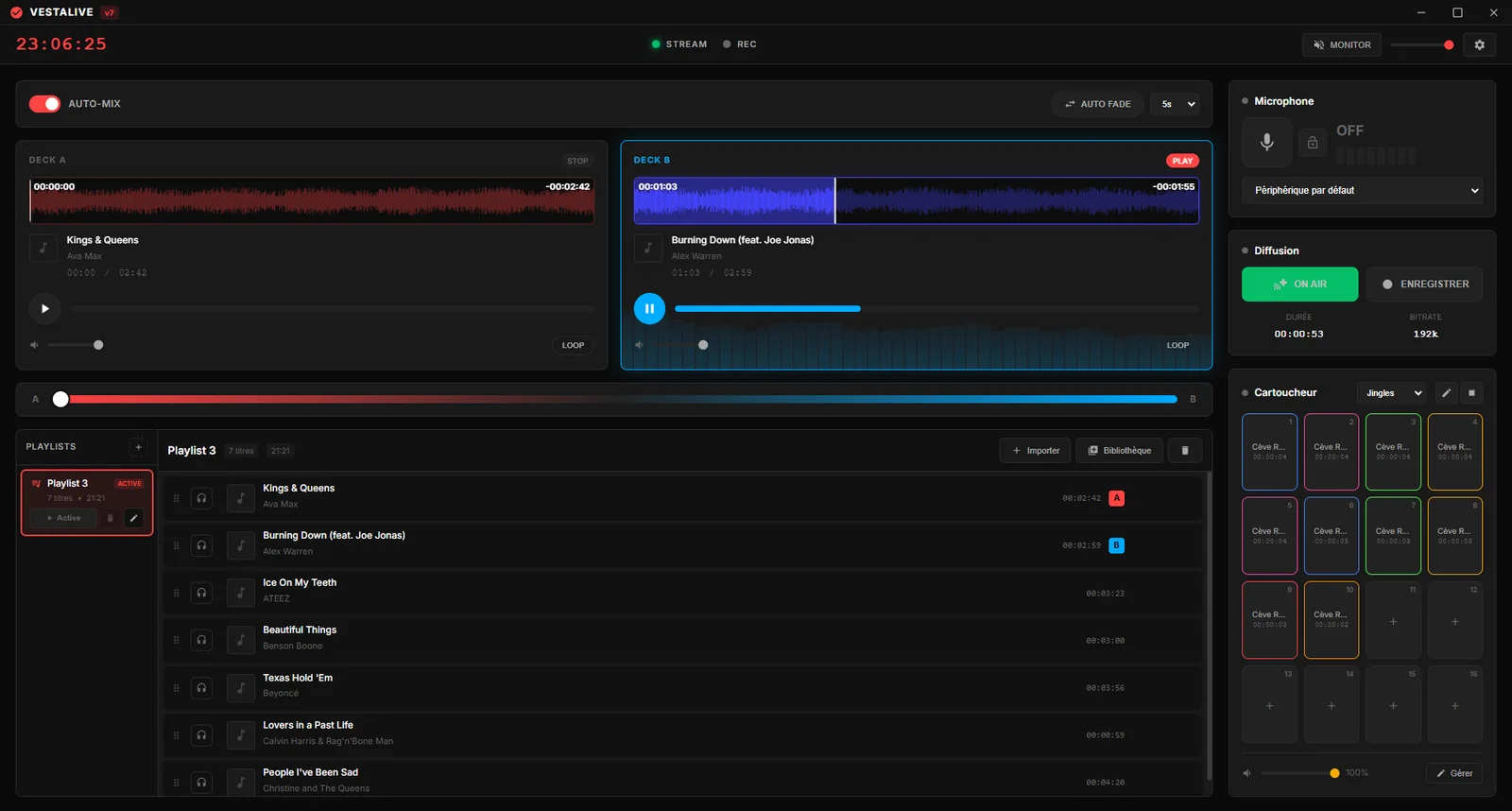
 Vestalive v7
Windows and Mac software
The broadcast console you install: two decks, crossfader, 64 jingle pads, processed microphone, to Icecast or Shoutcast. Free 30-day trial.
Discover Vestalive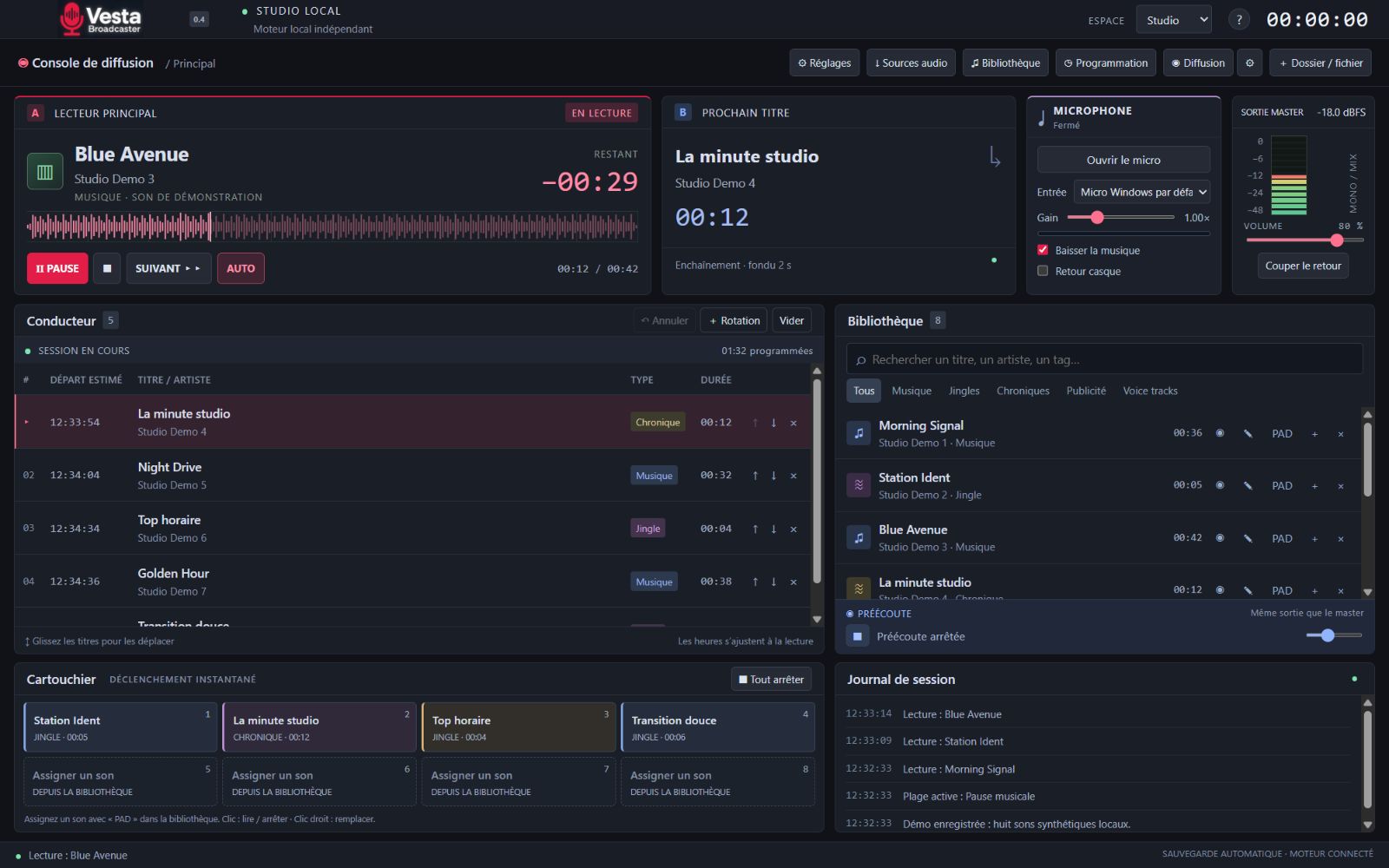
 Vesta Broadcaster
Windows 10 / 11 software
The Windows radio studio with running order, cart player, library and programming grid. Test version, access on request.
Discover Vesta BroadcasterImportant : l'ancienne version (Studio 7) fermera le 15 août. Tous les comptes seront transférés vers la nouvelle version. Pensez à migrer dès maintenant.
Vous avez déjà une radio sur l'ancienne version ? Le passage à Studio 10 se fait avec l'accompagnement de notre équipe. Les rendez-vous débutent le 13 juin.
Transférer ma radio sur la nouvelle version